Patchbay: connecting Claude to Figma with no call limit, locally
AI assistants can work in Figma, but the official MCP caps calls and free bridges require technical setup. Patchbay connects Claude to Figma locally, with no call limit and a single install line. The connector has been published since October 13, 2026.
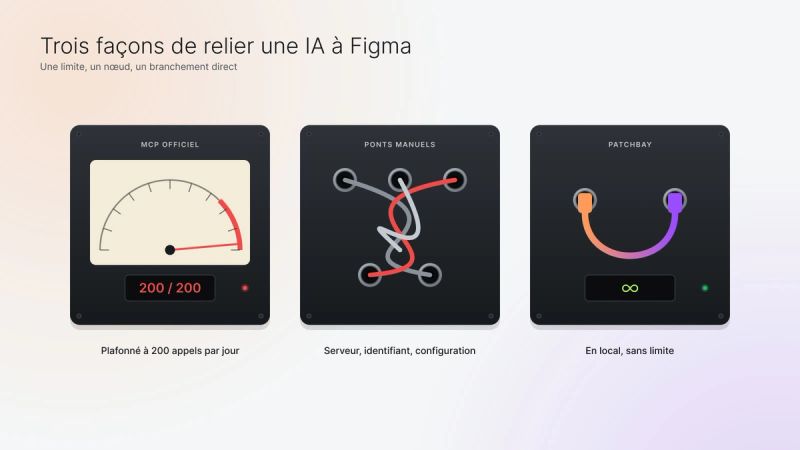
The problem: the official MCP’s 200-call limit
Patchbay is for designers and developers who work with an AI assistant in Figma: Claude Desktop, Claude Code or another MCP client.
Two paths existed, each with its limit:
- The official connector goes through the cloud and caps calls: 200 per day on a Pro seat, and reads and screenshots both count.
- Free bridges require starting a server by hand, copying a channel ID and editing configuration files.
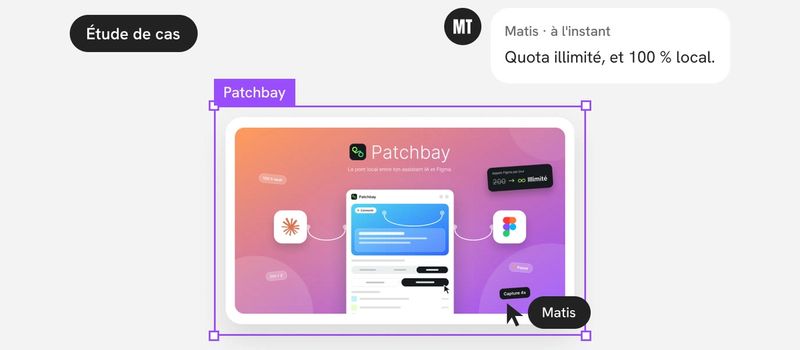
The promise fits in two sentences, written in the brief: “You install once. You click Connect.” Nothing goes through the internet, and there is no quota.
Framing: a brief before the first mockup
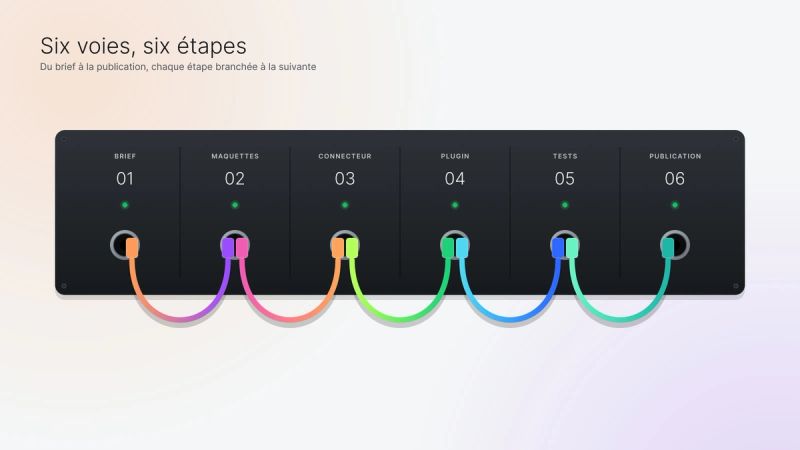
It all started with a product brief: the problem, the promise, what sets Patchbay apart, a new user’s six-step journey, the list of screens and the limits to state honestly.
What sets it apart:
- automatic connection, with no ID to copy;
- one install line, copied from the plugin;
- screenshots up to 4x and frame-by-frame animation export;
- three modes: Read only, Ask, Free;
- an activity log written in plain language.
The limits are stated from the start: one plugin at a time per file, no automatic startup, Figma must stay open.
Three decisions framed the project:
- Drop the first prototype. It required starting a server and a client from the command line. The connector is now launched by the assistant itself.
- A brand-free name. A patchbay is the patch panel of a recording studio. The name says what the tool does, without borrowing the Figma or Claude brands.
- Zero dependencies. The connector fits in an 8.6 KB package and only needs Node 18.
Art direction: one state, one color, one cable
The plugin’s 17 screens were designed in Figma before being coded: welcome, assistant choice, installation, waiting, connection, confirmation, log, settings, errors, pause and collapsed bar.
The art direction builds on proven principles: a white background, color reserved for gradient cards with a glass effect, the Inter typeface and black pills for whatever is active.
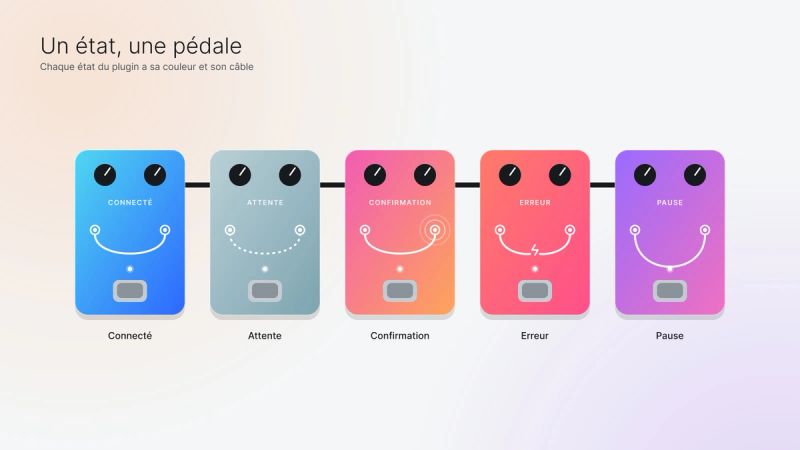
Each state has its color:
- Connected in Lagoon, from cyan to blue;
- Waiting in Mist;
- Confirmation in Aurora;
- Error in Coral;
- Pause in Amethyst.
The status card tells the state with a cable between two jacks: plugged in when all is well, dotted while waiting, cut with sparks on error, hanging during pause, surrounded by waves when the assistant asks for confirmation.
Two design decisions followed the first tests. The “Recent actions” list left the Connected screen in favor of a “View log” button. And Free mode became the default.
Architecture: a local MCP connector and a Figma plugin
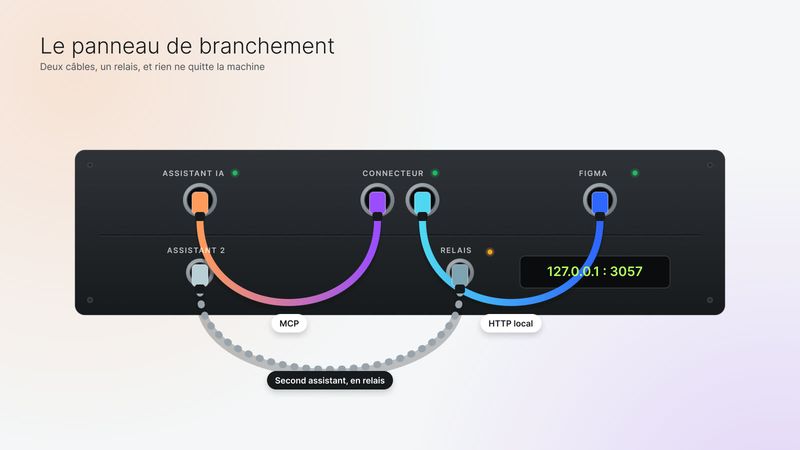
Patchbay comes down to three blocks:
- the assistant, which talks to the connector over the MCP protocol;
- the connector, in Node, which opens an HTTP bridge on the machine (127.0.0.1, port 3057);
- the Figma plugin, which fetches commands from that bridge, runs them with the Figma API and sends back the result, images included.
The assistant has four tools: check the connection status, read the document, take a screenshot and run a script.
Why these choices:
- The plugin fetches the commands. It lives in Figma and can’t accept incoming connections. So it polls the bridge continuously, with requests that wait up to 25 seconds.
- Two assistants at once. If a second connector finds the port already taken, it becomes a relay instead of failing.
- A single file for the interface. The plugin needs no build tool.
- Everything can be undone. Every change made by the assistant is undone with a single Ctrl+Z, and the plugin flags a script that changes the page without declaring it.
The whole thing stays short: 333 lines for the connector, 137 for the plugin, 668 for the interface.
Working with Claude Code: from brief to code
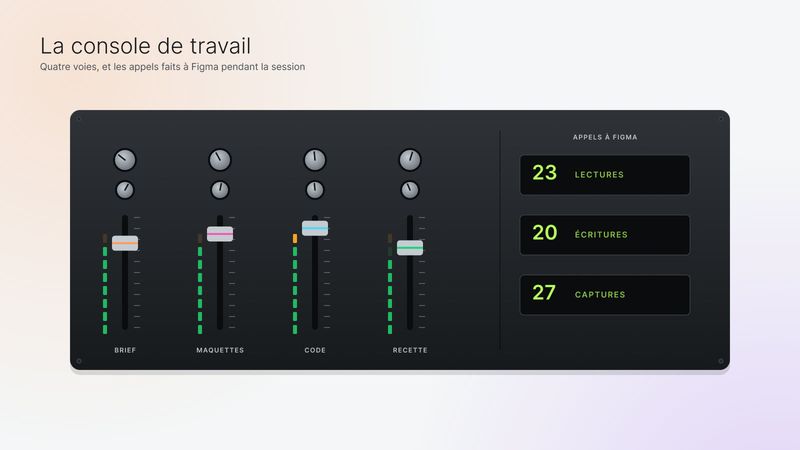
The code was written by Claude Code, under my direction, in a fixed order: the brief, then the approved mockups, then the code, faithful to the 17 screens read one by one in Figma.
A few working rules framed everything: Figma first, an archive before changing an approved mockup, no mockup overlapping another, and every call to Figma counted.
The code, the tests and the release fit into one afternoon, on October 13.
There is no automated test suite: a simulated MCP client and acceptance testing in the real Figma. It covered connection, a busy port, reading, screenshots, creation, export, a failing script, several files, reconnection, the log, a confirmation accepted then refused, pause, the collapsed bar and English.
The split of roles stayed clear. I made the decisions: the default mode, dropping the prototype, the place of logos in the visuals. And I handled account actions myself, like publishing on npm and submitting to the Figma Community. Claude Code produced the code, the visuals, the documentation and the procedure, without publishing anything without my approval.
The hard decisions
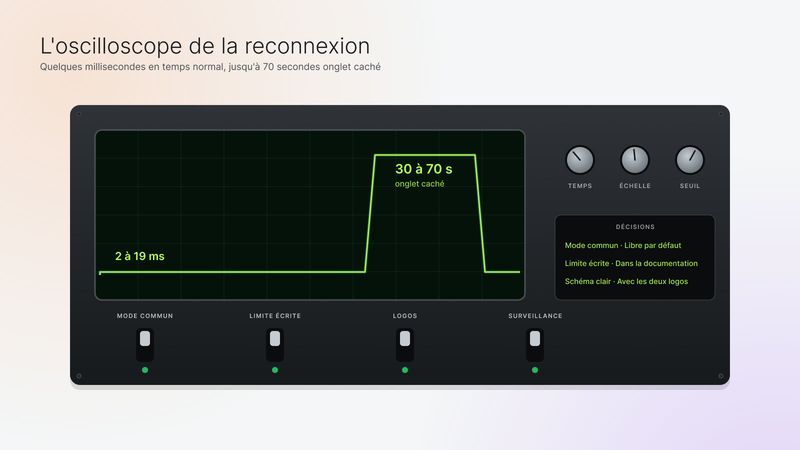
One mode per file, or a shared mode. In testing, switching to Ask mode only applied to one file. The choice: one mode shared by all files, Free by default.
Slow reconnection in the background. In normal use, a command makes the round trip in a few milliseconds. But right after the connector restarts, with the Figma tab hidden, reconnection could take 30 to 70 seconds. The likely cause, timers throttled by the browser, isn’t confirmed. The decision: move forward, and document the limit.
Making the link clear. In the first visuals, people didn’t understand that Patchbay connects Claude to Figma. A patching diagram with both logos settled it, with a logo-free variant ready if needed.
Modes based on the assistant’s word. It’s the assistant that declares whether a script changes the file. To limit the risk, the plugin watches the page, and the documentation recommends Ask mode for important files.
Release details. Unix line endings, without which installation breaks on Mac and Linux. Only the product is published, never the internal notes. An icon redone on a transparent background. Visuals reworked to the format Figma requires.
Outcome and next steps
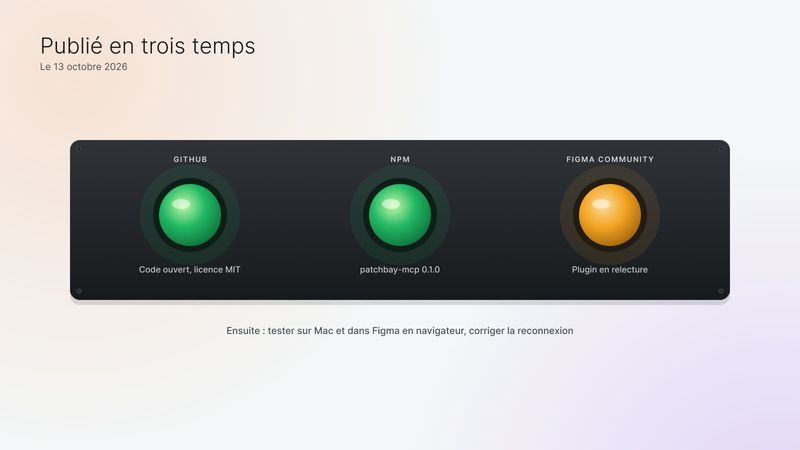
On October 13, 2026, Patchbay shipped in three steps: the code on GitHub under the MIT license, the connector on npm as version 0.1.0, and the plugin submitted to the Figma Community, where it is in review.
The limits are stated in black and white:
- tested only on Windows, with the Figma desktop app;
- one plugin at a time per file;
- two files with the same name can’t be told apart;
- reconnection can take up to a minute after the connector restarts.
Next steps: test on Mac and in Figma in the browser, and run the experiment already prepared to fix reconnection.