Testing a design in 5 days with 5 users
A user test doesn't need a lab or a month of preparation. A week and five people are enough to know whether a flow holds up before it goes into development. Here's the process I follow, day by day, and the rules that make it reliable.
Why five, and why now
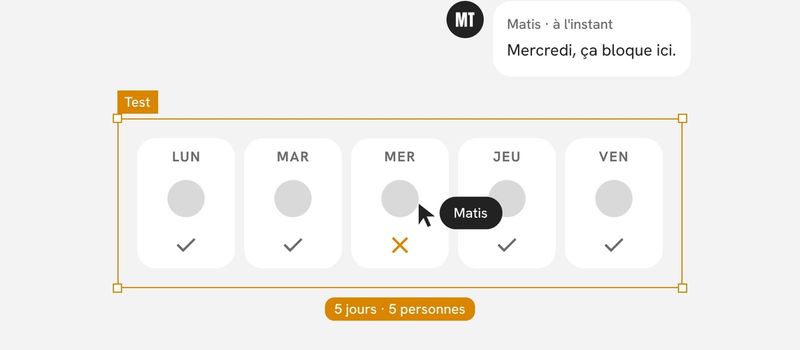
Five people don't make a statistical study. That's not the point. The point is to spot the problems that stop people from getting through a flow. Those show up fast: by the third or fourth session, you mostly see the same roadblocks again. Beyond that, each additional person teaches you less and less that's new.
The right time is before development. I've written before that a mistake caught on a prototype costs an hour, and the same mistake after development costs a week. A five-day test is the simplest way to take advantage of that gap.
A short test has another advantage: you can run it again. Two rounds of five people, with a fix in between, beat a single round of ten.
Before day one: recruiting
Recruiting is the only step that doesn't fit into the week. I start it a week ahead, sometimes two.
- Recruit people who resemble the real users. Same job, same level of familiarity with the subject, same context of use. A colleague from the next office over is no substitute for a store manager.
- Avoid people who know the project. They already know where to click.
- Line up a backup participant. There's almost always a cancellation.
- Book one-hour slots, with at least half an hour between sessions to write notes while they're fresh.
On a B2B product, the best go-betweens are often the customer-facing teams: support, sales, customer success. They know who would be willing to give an hour.
Day 1: decide what you're testing
This is the most important day, and the one you're most tempted to skip.
- Write down the questions the test needs to answer. Three at most. For example: can users find how to place an order? Do they understand what their choice costs before they confirm?
- Pick a single flow, or two short ones. A test that covers the whole product tells you nothing specific about anything.
- Write tasks as scenarios. Not “click New campaign,” but “You want to announce your store's opening next month. How would you go about it?” A task that contains the button's name only tests reading.
- Define what counts as success for each task: the person gets to the end on their own, with help, or not at all.
By the end of the day, I have one page: the questions, the tasks, the success criteria. The team signs off on it before going any further.
Day 2: build the prototype
I only prototype what the tasks require. Everything else can stay inactive.
- The main path has to work end to end. A user stuck on an unlinked button is no longer testing the flow; they're testing the prototype.
- The content has to be realistic. Real names, real amounts, real dates. Placeholder text makes it impossible to judge whether the information is understandable.
- Common mistakes have to be anticipated. If the person takes a wrong turn, there needs to be at least one screen that lets them get back.
- The prototype has to run on the real device. A flow designed for mobile gets tested on a phone, not on a big screen.
A prototype built with components comes together quickly, because you assemble instead of redrawing. It's a benefit of the design system that rarely gets noticed.
Day 3: rehearse
I run a dry-run session with someone who doesn't know the project. It almost always reveals three things:
- a poorly worded task that the person misunderstands;
- a missing link in the prototype;
- a session that runs too long.
I fix those and prepare the note-taking grid: one row per task, with success, approximate time, hesitations, and notable quotes. I also prepare the welcome script, so I say the same thing to every participant.
Day 4: the five sessions
Five one-hour sessions fit into a day, as long as you're strict about breaks.
Every session follows the same structure:
- Welcome and reassure. “We're testing the product, not you. If you get lost, it's the product that has a problem.”
- Ask two or three questions about context, to understand how the person works today.
- Give the tasks one at a time, asking them to think out loud.
- Wrap up with a few open questions: What surprised you? What was missing?
During the session, I hold myself to four rules.
- Don't help. When the person hesitates, I stay quiet. The silence is uncomfortable for me, not for the test. If they're truly stuck, I log the failure, then help them past it to move on.
- Turn questions back around. “What do you think this button does?” rather than explaining.
- Watch what they do, not what they say. Someone can call a screen “very clear” after spending a full minute looking for where to click.
- Work in pairs. One person runs the session, the other takes notes. Running and note-taking at the same time means losing half the observations.
When possible, I invite a developer or a decision-maker to observe a session. Watching a user get stuck is more convincing than any report.
Day 5: sort and decide
The last day isn't for writing a long report. It's for making decisions.
- Gather the observations in one place, one note per problem observed.
- Group identical notes and count how many participants ran into each problem.
- Rate each problem by severity: blocking when the person couldn't finish the task, disruptive when they finished with hesitation or a detour, minor when it's a comment with no effect on the task.
- Decide on every blocking or disruptive problem: fix it before development, fix it later, or accept it.
- Go back to the three questions from day 1 and answer each one in a single sentence.
The deliverable fits on one page: the answers to the questions, the ranked problems, the decisions made. Fixes follow the next week, and if a blocking problem was reworked in depth, a new short test verifies it.
Mistakes that skew a test
- Asking people what they like. Tastes say nothing about ease of use. You observe behavior, not preferences.
- Testing with colleagues. They know the vocabulary and the intentions, and they want to please.
- Explaining the interface before the task. The real user won't have anyone to do that.
- Drawing conclusions from a single person. A problem seen once is a lead. Seen three times, it's a fact.
- Trying to fix everything. Minor problems can wait. Blocking ones can't.
In short
Testing in five days means choosing a specific question, building just enough to answer it, observing without stepping in, then deciding. It isn't a study. It's a check, light enough to run before every important flow and rigorous enough to keep you from building something that doesn't work.